Guide to Browser Internals
What a browser actually is (beyond “it opens websites”)
A browser is a full software platform
talks to servers,
understands web rules,
runs code,
draws interfaces,
and protects the user.
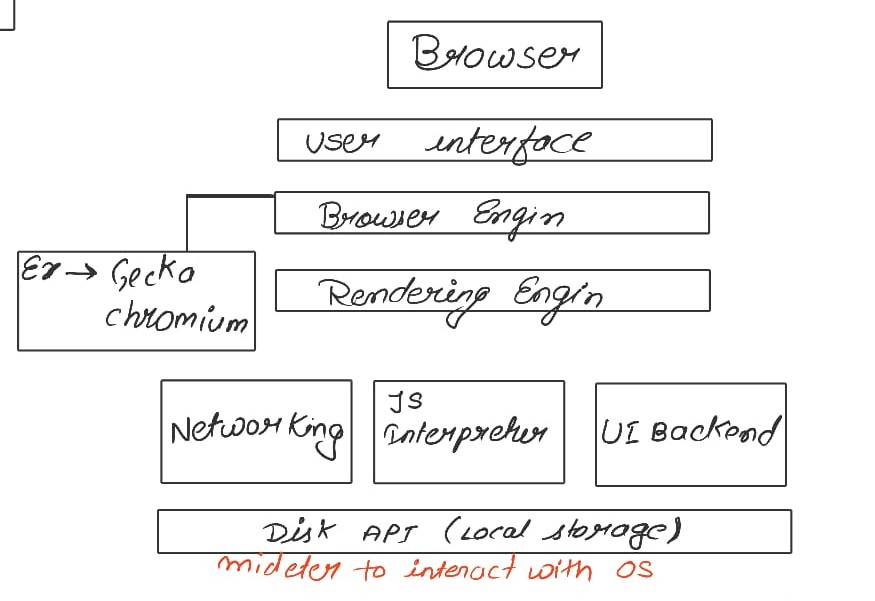
Main parts of a browser (high-level overview)
User interface
Address bar
Back / Forward buttons
Tabs
Bookmarks etc .
Browser Engine
This acts as a middle manager between:
User Interface
Rendering Engine
It tells the rendering engine:
what page to load
when to refresh
what settings to apply
Rendering Engine
This is the main work of the browser to display which user see
Parses HTML
Parses CSS
Builds DOM & CSSOM
Creates Render Tree
Paints pixels on screen
Networking : How browser fetch html CSS and javascrip
Browser makes HTTP/HTTPS requests
Uses TCP for reliable delivery
Downloads:
HTML file
CSS files
JS files
images, fonts, etc.
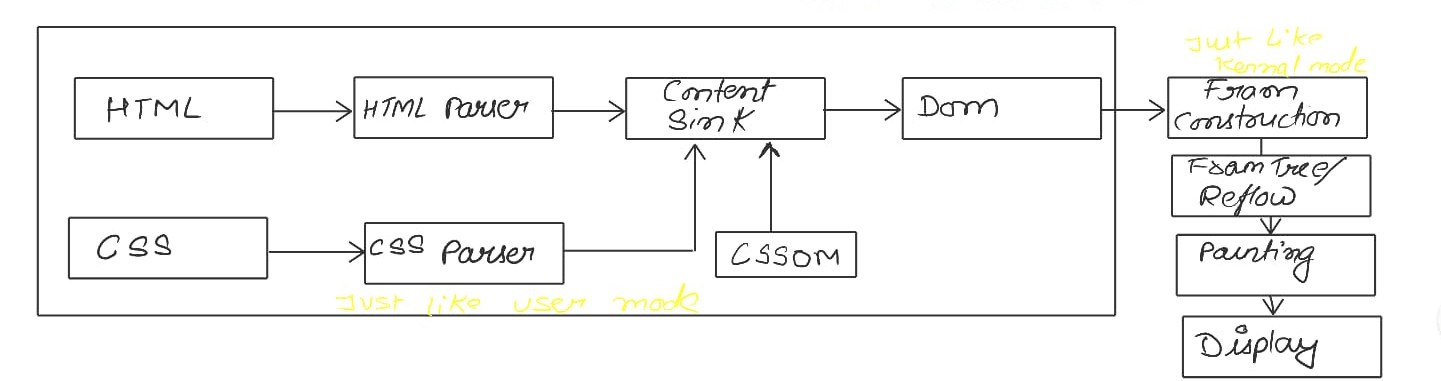
HTML parsing
HTML → HTML Parser → Content Sink → DOM
CSS parsing → CSSOM creation
CSS → CSS Parser → CSSOM → Content Sink
DOM and CSSOM come together
DOM + CSSOM → Render Tree
Layout
Render Tree → Frame Construction → Reflow
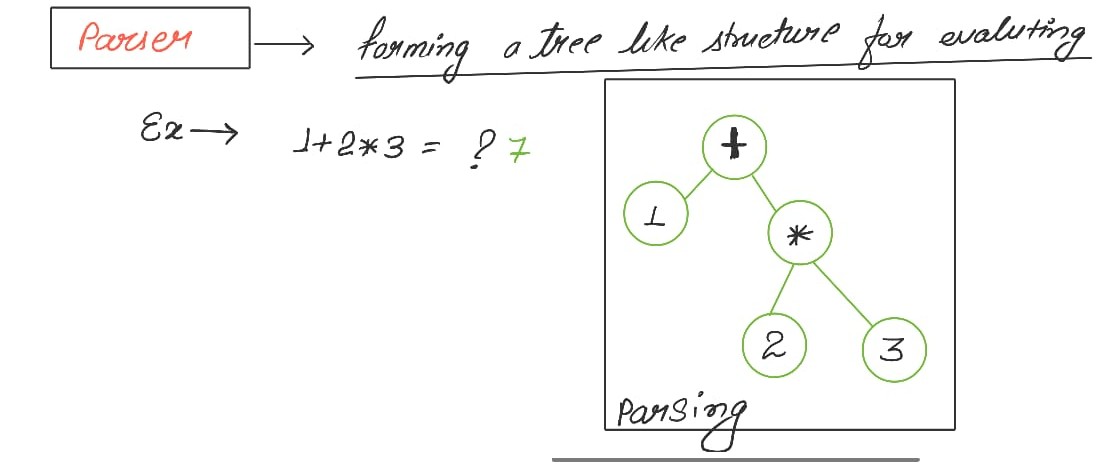
Very basic idea of parsing (using a simple math example)
Summary
A browser is a complex software platform that does more than just open websites. It communicates with servers, interprets web standards, executes code, renders interfaces, and safeguards users. Key components of a browser include the user interface, browser engine, rendering engine, and networking capabilities. The browser engine manages communication between the user interface and rendering engine, which processes HTML and CSS to display web pages. It makes HTTP/HTTPS requests to fetch necessary files and ensures reliable delivery using TCP. The rendering engine builds a Document Object Model (DOM) and CSS Object Model (CSSOM) to create a render tree, which structures how elements appear on a page. Understanding these components provides insight into how browsers function beyond basic website navigation.