How Git Works Internally
Exploring the .git Directory: A Simple Guide
To understand properly please go through basic Click here for Basic
.git folder is the hidden folder inside your current folder to view folder just follow the steps
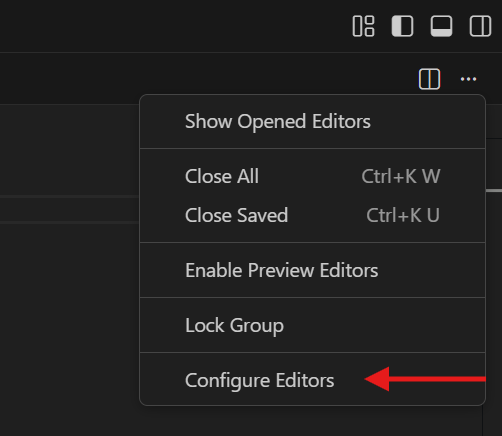
step 1 Go to configure Editor
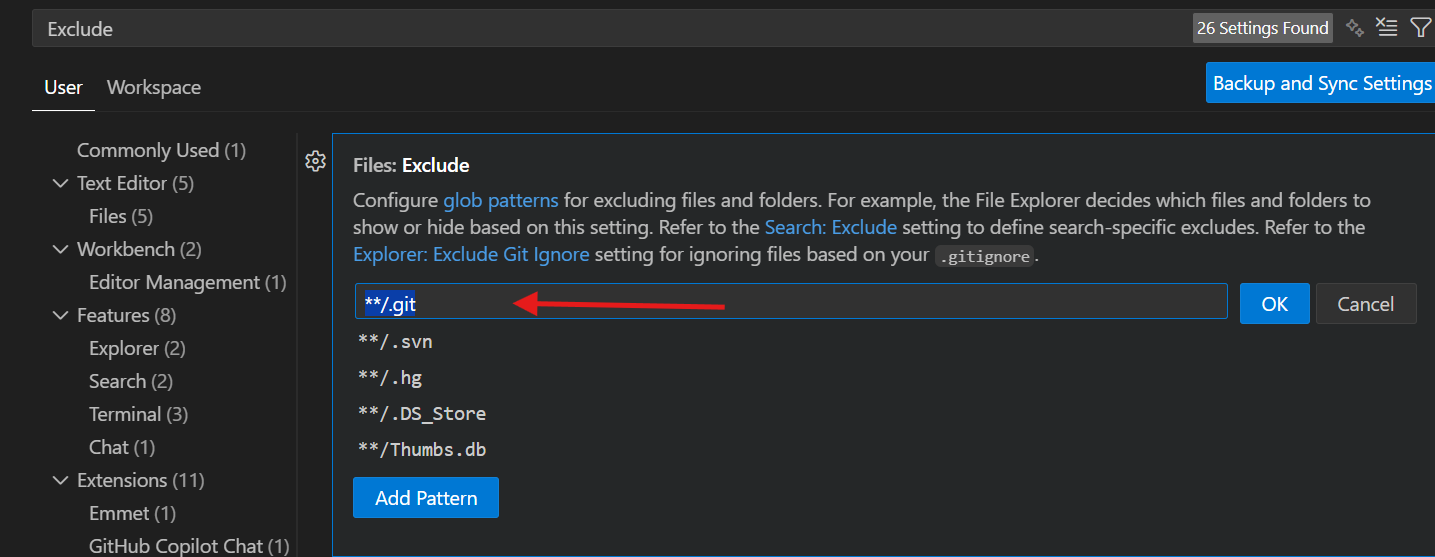
step 2 Go to Text Editor and open files: Exclude and remove **/.git from Exclude
First question arises in mind that why this git folder exist ?
The git folder is present inside the current folder because to keep the track of the changes that have made in the current working folder
It not only track the changes ,it also keep the record who is the author ,who has commited it and when the change where commited also the message during commit
Lets discuss this with different command one by one to verify and check what is actually inside it
git branch
if you run this command you will get on which branch the your are working currently
C:\Users\ranja\Desktop\git demo> git branch
* master
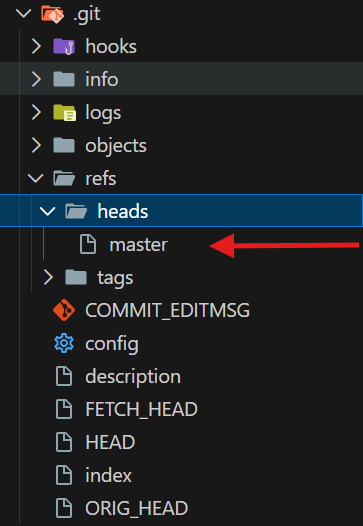
it return master from refs/heads/master
cd .git
this command take you in the .git folder through terminal
C:\Users\ranja\Desktop\git demo> cd .git
ls
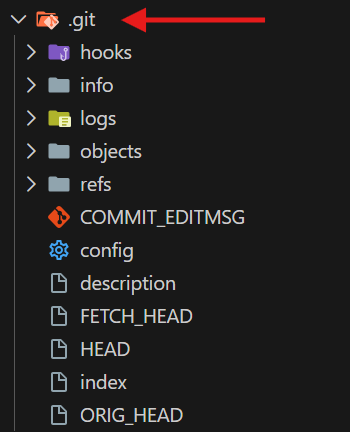
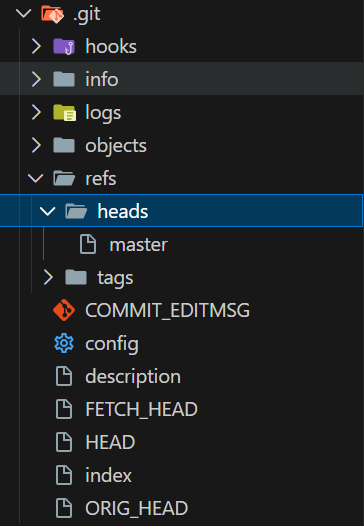
This command show you what are the things inside it just have a look the image of .git folder
As you can look in the image it contain different folder and files
cd refs
Lets go deep into what does it store in refs folder
C:\Users\ranja\Desktop\git demo\.git> cd refs
C:\Users\ranja\Desktop\git demo\.git\refs> ls

Mode                 LastWriteTime         Length Name
----                 -------------         ------ ----
d-----        25-01-2026     01:00                heads
d-----        24-01-2026     12:04                tags

C:\Users\ranja\Desktop\git demo\.git\refs> cd heads
C:\Users\ranja\Desktop\git demo\.git\refs\heads> cat master
4ed24b1c7485d0244eaf4d44795252201db74cb3
so it means the master file is the hexadecimal code of your head node
cd object
The object folder keeps every nodes of linked list which all the different data is store
C:\Users\ranja\Desktop\git demo\.git> cd objects
C:\Users\ranja\Desktop\git demo\.git\objects>
C:\Users\ranja\Desktop\git demo\.git\objects> ls
Mode                 LastWriteTime         Length Name
----                 -------------         ------ ----
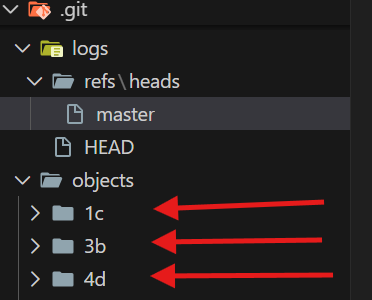
d-----        24-01-2026     12:11                1c
d-----        25-01-2026     00:05                3b
d-----        24-01-2026     12:54                4d
Always remember that Git names this folder using the first two characters of the hexadecimal code of that node.
so each node have an folder in the objects folder
New Question arise what are store in the nodes
Git object Stores Blob File content Tree File names + blob hashes Commit Snapshot + metadata C:\Users\ranja\Desktop\git demo\.git\objects> git cat-file -p 4ed24b1c7485d0244eaf4d44795252201db74cb3 tree 58452bad2a67d0862fbef6dc61e8b59b8d692348 parent 4dc2b6e2f63508e66dbd2ccacb8679275aa1029c author 01Ranjan <ranjankumar459688@gmail.com> 1769279805 +0530 committer 01Ranjan <ranjankumar459688@gmail.com> 1769279805 +0530 commit all at onceso now i think it is clear what is inside the .git folder